The hardest thing to get right in any image generator is keeping the same person across many renders. A great prompt with no face control will give you a great picture of somebody, and the next render will be somebody else. If you're building a character — for a story, a profile, a brand — that's a problem.
The Pro generator has four face-preservation tiers. Pick the right one, give it the right inputs, and the same face follows you across every render in the session.
Pin an avatar first
Open the face picker in the Pro generator's Face preservation panel. You'll see your face library — every source face you've uploaded — plus a slot to upload new ones. The first picture you select becomes the pinned avatar. Pin one before you do anything else.
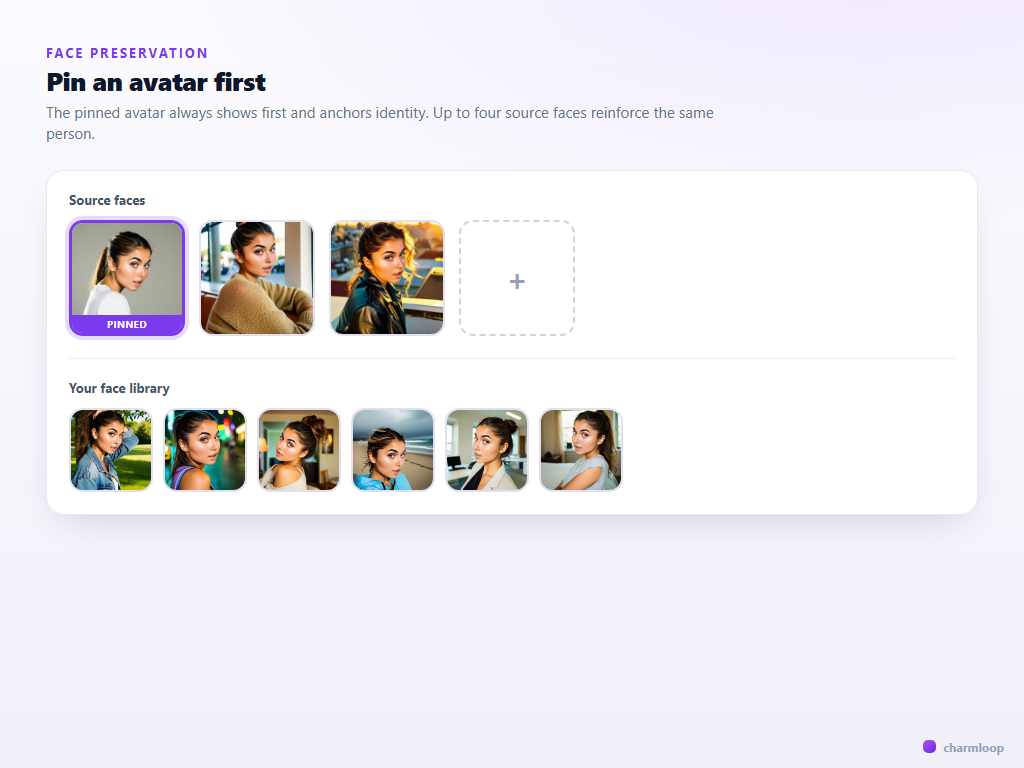
Charmloop's face flows accept up to four source faces for the multi-image tiers (IP-Adapter, InstantID, PuLID variants). Use the slots: pinned + three reinforcements drawn from different angles gives the model a much stronger identity than one image alone. A three-quarter portrait, a near-frontal, and a slightly profile angle is a strong set.
Pick the right tier for the job
The Face preservation panel exposes four tiers. They trade fidelity for token cost.
- None — model freedom, no identity carryover. Cheapest. Use when the person doesn't matter — when you want a stock-photo render or an environment shot.
- ReActor only — fast face swap. The model generates a free face, then ReActor swaps your face onto it. Good for portraits with one face, mediocre on profile angles or unusual lighting.
- IP-Adapter + ReActor — identity is built into the generation through IP-Adapter face embeddings, then refined by ReActor. The default recommendation for most realistic character work. Much better at preserving identity across angles, expressions, and lighting.
- InstantID + IP-Adapter — the strongest tier for keeping identity stable across radical pose, lighting, and style shifts. Recommended when the same person needs to appear in very different scenes (close-up portrait, full-body action, three-quarter side view) and still read as one person.
How much extra each tier costs isn't a flat percentage — it depends on the recipe, resolution, steps, and batch size. The charm estimate next to the generate button shows the exact cost of your current setup before you commit.
The rule of thumb: if you only need one good portrait of someone, ReActor is enough. If you're building a multi-shot story or character set, IP-Adapter+ReActor or InstantID is worth the extra charms.
Don't fight the face flow with the prompt
A common mistake: you've chosen InstantID, you have three good source faces, and then your prompt says "a different woman", "a blonde model", "anime style". The model is now being told two contradictory things — preserve the identity, change the identity — and you'll get a confused render that doesn't look like the source face or the prompt.
The prompt should describe the scene, the outfit, the lighting, the mood. It should not redescribe the person. If your pinned avatar is a brunette with green eyes, do not say "blonde with blue eyes" — the face flow will fight you and one side will lose.
a blonde woman with blue eyes, blue dress, beach, sunset
walking along an empty beach at sunset, light blue cotton sundress, hair tied back, soft golden hour light from camera-left, 50mm portrait, shallow depth of field
The strong version says nothing about hair colour, eye colour, or face shape. Those come from the pinned avatar. The prompt only describes what's around the person.
Turn on FaceDetailer for close-ups
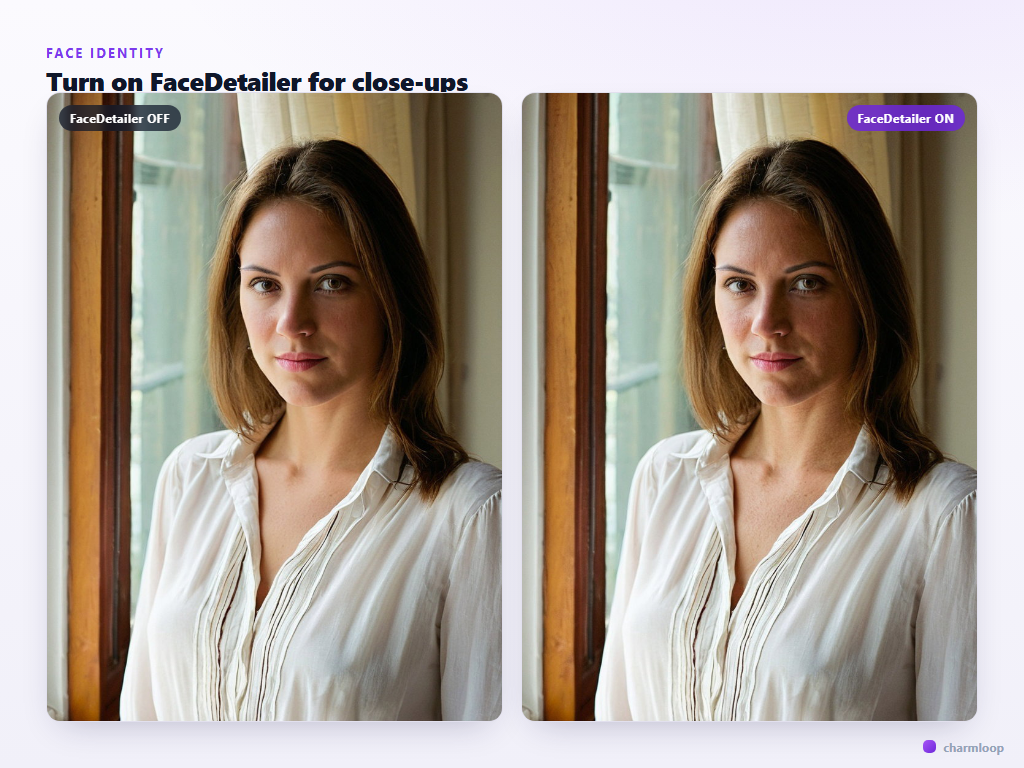
The Pro generator's Post-processing panel has a Face Detailer toggle. Turn it on when faces are large in the frame — portraits, half-body shots, anything where the face occupies more than a quarter of the image. FaceDetailer re-renders the face region at higher detail and fixes the typical SDXL face artefacts (asymmetric eyes, mushy mouth, lost detail in the iris).
Leave it off for wide environment shots where the face is small. Re-rendering a 60×60 px face region adds time and rarely helps.
Source face quality is upstream of everything else
Every face-flow tier inherits the quality of the source faces you give it. A blurry phone snap, a heavily filtered selfie, or a face occluded by sunglasses will pollute the identity embedding and the model will spend every render trying to reconcile a vague signal. Two minutes spent picking the right source faces saves dozens of redo cycles later.
What good source faces look like:
- Front-lit, neutral expression. Big direct catchlights in both eyes. No deep shadows under the brow or chin.
- Clean background. A patterned or busy background bleeds into the embedding. A plain wall, a neutral outdoor scene, or studio grey is best.
- Hair visible but not hiding the face. Pulled-back hair or a centre part is ideal. Side-swept hair across one eye creates an asymmetric embedding that biases every render.
- Face fills 40–70% of the frame. Tiny faces in big images carry less information; tight crops where the face touches the frame edges can clip features.
- No filters, no heavy makeup, no extreme angles. Beauty filters in particular destroy the texture cues the face flow uses to recognise identity.
If your library only has one usable photo, that's fine — pin it and stick to single-face flows like ReActor. If you have a usable set of three to four, you can confidently use IP-Adapter or InstantID tiers.
Multiple characters in one frame
Charmloop's multi-image flows accept up to four source faces, but they all anchor to one identity. To put two distinct people in one render — two characters in conversation, a duet portrait — you need a different approach: generate each subject in a separate render, then composite, or use img2img passes to introduce the second character against a locked first.
A practical pattern: generate the lead character at the desired pose, save the render, then use that render as the img2img source at strength 0.6 with a prompt describing the second character entering frame. Set face flow for that second pass to a different pinned avatar. The model preserves the first character (because img2img protects the existing pixels) and renders the new one into the scene.
This is one of the rougher edges of current face-preservation tech across the industry — there is no clean "two-identity" flow yet. Plan for composite work on two-person scenes.
Hands and eyes are separate problems
Face flows preserve the face. They do not fix hands, and they do not stabilise eye gaze across renders. Hands are a separate post-processing toggle (Hand Detailer in the Post-processing panel) — enable it for anything where hands are visible and matter.
For eye gaze, your prompt is the only lever: "looking directly at camera", "looking down", "three-quarter glance to the right". Without an instruction, gaze direction is random per generation, which breaks character consistency even when the identity is locked.
Next: how to use composition, framing, and aspect ratio to make the same face land differently → Composition.